How your smart meter records what you use and make
What the meter writes down, what it can and can't see, and where the record ends up.
One day at a battery home, as the meter recorded it
- Power sent out (export)
- Power bought in (import)
- Bought in during the evening peak, 3pm to 9pm
- 18am to 8.30am. Both counters moved in the same half hour. A cloud passed, the house tipped from sending out to drawing in, then back.
- 2Midday. The battery filled before lunch, so most of what the panels made went out to the street.
- 35pm to 8pm. The battery carried the house. The meter recorded almost nothing either way.
- 48pm. The battery ran low and the house started buying again, inside the peak hours.
What this means for you
Your bill is these bars added up into your plan's time windows. The battery shrinks the bars on both sides of the line, and that is the only way the meter can show it working.
In short
Your smart meter counts power in and power out every half hour. It can't see your battery or your panels, only what they change at the front gate. Your bill is those half hours added up, and the full record is yours to ask for.
What the meter writes down
A smart meter is a small computer with two counters. One counts power coming in from the street. The other counts power going out to the street. Every half hour it writes down both and starts again. That is 48 half hours a day, with two numbers in each.
The numbers are in kilowatt hours (kWh), the same unit your bill uses. A half hour where the house drew steadily at one kilowatt comes out as 0.5 kWh bought in.
Newer meters can work in 5-minute steps. The wholesale market has run in 5-minute steps since 1 October 2021, and meters installed since December 2018 were built to keep up. In practice the file you get is usually still in half hours, and that is fine for checking a plan. A 5-minute file is the same picture with more rows, 288 a day instead of 48.
If you have an off-peak hot water circuit (a controlled load), the meter keeps a separate counter for it. That is why it shows up as its own line on your bill.
What it sees, and what it doesn't
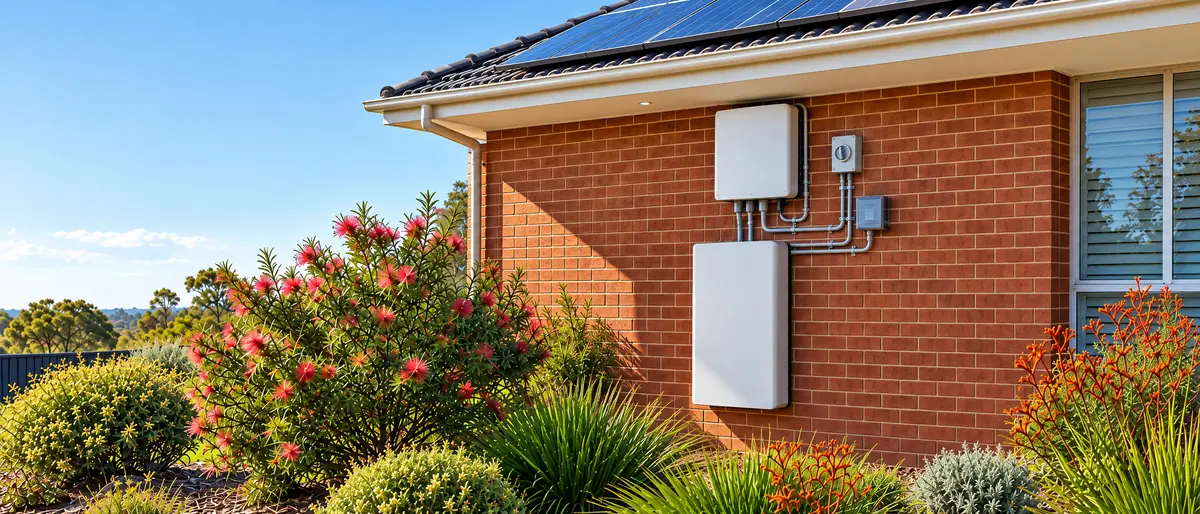
The meter sits where your house joins the street. Everything inside the house is on the other side of it. Your panels, your battery, your inverter, your hot water and your fridge. The meter adds all of that up into one flow and records which way it was going.
So the meter can't see your battery. It can't see your panels either. Say your panels made 3 kWh in a half hour, the battery took 2 kWh of it and the house used the rest. The meter saw nothing at all. If the house had used a little more, the meter would have seen a small import. The battery and the panels show up only in what they change about the flow at the front gate.
Where the meter sits, and what is on each side of it
Inside your house
- Your solar panels
- Your battery and inverter
- Everything you plug in
- The meter can't see any of these on their own
The street
The poles and wires. Power your house buys comes from here. Power your house sends out goes here.
What this means for you
Your battery app and your bill will not agree to the decimal, because they measure from opposite sides of the meter. When they differ, the meter's figure is the one you pay on.
One half hour can hold both an import and an export. A cloud passes, the house tips from sending out to drawing in, then back. The meter counts each direction on its own counter, so both numbers can be above zero in the same half hour.
Your battery app is the mirror image. It sees the battery, the panels and usually the house, because the inverter has its own measuring gear inside. What the app calls "grid" is the inverter's view of the meter, from behind it. The two don't always agree to the decimal. The meter's version is the one you are billed on.
Why it matters for a battery home
Before the battery, your meter saw a lot going out in the middle of the day and a lot coming in during the evening. After the battery, both shrink. The battery soaks up the midday export and gives it back in the evening. Your bill shows fewer kWh bought and fewer kWh sold. That is the battery doing its job, and the meter can only see it as those two smaller numbers. The switch on the chart at the top of this guide shows the two days side by side.
Two things follow from that.
The meter's record is the only independent account of what your battery is worth to you. Your app tells you what the battery did. The meter tells you what the grid saw, and that is what you pay for. If you want to know whether your plan still suits the house, the meter's record is the one to use.
A bill written after the battery also describes a different house from a bill written before. Anyone pricing a plan from your old bill is pricing a home that no longer exists. Reading your first bill after a battery covers what changes.
How the half hours become your bill
Your retailer doesn't bill you half hour by half hour. It sorts the half hours into the time windows your plan uses and adds each window up.
On a flat rate plan, every half hour of power bought goes into one pile. On a time-of-use plan, the half hours between, say, 3pm and 9pm go into the peak pile and the rest into off-peak or shoulder piles. The half hours of power sent out go into a pile of their own and earn the feed-in rate. Your bill prints the total of each pile and the rate for it. The half hours themselves are gone.
That is why a bill can't tell you what another plan would cost. Another plan draws its windows in different places, and your bill's piles can't be sorted again into them. Only the half hours can be.
Where your half hours go
- Your meterWrites down power in and power out, every half hour, and stores it.
- The meter is read remotelyUsually over the mobile network, at least once a day. In Victoria your network does this. Elsewhere a metering company does it for your retailer.
- Your networkThe company that owns the poles and wires. It keeps your half hours because it charges your retailer for carrying your power.
- Your retailerThe company that bills you. It sorts your half hours into your plan's time windows and adds each window up.
- Your billPrints the totals for each window and the rate for each. The half hours themselves are not on it.
- You can ask for thisYour meter data file (NEM12)A copy of the half hours as the market holds them. Your network or your retailer must give it to you. It is the only record that can price a plan with different time windows.
What this means for you
If you want to know what another plan would cost, you need the meter data file (NEM12). It is yours to ask for, and the bill alone can't do the job.
Where the record lives
Two companies hold your half hours.
Your network is the company that owns the poles and wires in your area. In Victoria it also owns the meter and reads it. In New South Wales, Queensland and South Australia a metering company reads the meter for your retailer, and the network gets a copy because it charges your retailer for carrying your power. Either way, your network has your half hours.
Your retailer has them too. It needs them to work out your bill.
Keep in mind
Who reads your meter depends on your state. In Victoria it is your network. In New South Wales, Queensland and South Australia it is a metering company working for your retailer. The record ends up with your network and your retailer either way, so you can ask either one.
You can ask either one for a copy. It comes as a meter data file (NEM12), a plain text file with a row for each day and a column for each half hour. It is the same format the market itself runs on. Both your retailer and your network have to give it to you if you ask. Networks tend to be quicker, and most have a portal where you can download it yourself with the meter number (NMI) from your bill. Our meter data guides show you where the button is for each one, and the file guide explains what to do with it once you have it.
A newer rule, made in December 2025, also gives you the right to ask for live data straight from the meter. How that will work day to day is still being set up. For now the file is the practical route.
Who has a smart meter
In Victoria, almost certainly you. The state put smart meters on nearly every home more than ten years ago. There are more than three million of them.
In New South Wales, Queensland and South Australia, most homes with solar already have one, because the old dial meters can't record power going out and the install usually brought a new meter with it. The rest are being fitted under rules made in November 2024 that aim to have a smart meter on every home in the National Electricity Market by 30 November 2030. When your retailer schedules yours, you can't decline it. You won't be charged if the retailer comes to you first. And your retailer can't change the structure of your tariff for two years after the install without your consent, as long as you stay with that retailer.
How PowerLens uses this
- Step 1
Upload your bill
We read what you pay now, exactly, from your own bill.
- Step 2
We price every plan in your area
Every plan in the government's open plan data, priced on your use.
- Step 3
Stay or Switch
If staying put is the better plan, that is what the report says.
The bill tells us what you pay now and lets us price plans that use the same time windows as yours. When you add your meter data file (NEM12), we have your real half hours. Then we can also price time-of-use plans, plans with free hours in the middle of the day (the other rates still apply) and virtual power plant (VPP) offers against what your meter recorded, which a bill alone can't do. VPP figures are estimates.
We price your use as the meter recorded it. We don't re-run your battery on a new schedule, and we don't tell you how to set it. Your installer or your battery app can help with that.
Retailers never pay us. Our ranking is the same whether you switch or stay. When you are ready, start with your bill, then add your meter data.
Sources
- Australian Energy Market Operator (AEMO): Five Minute Settlement (commenced 1 October 2021)
- Australian Energy Market Commission (AEMC): Five minute settlement implementation information sheet (meters installed from 1 December 2018 record 5-minute data)
- AEMC: Accelerating smart meter deployment (final rules 28 November 2024, every home by 2030)
- Australian Energy Regulator (AER): Consumer rights and smart meters (30 November 2030 target, no opt-out, two-year tariff protection, how the data travels)
- Victorian Government: Smart meters (recorded every 30 minutes and sent to your distributor)
- Victorian Government: Renewable Energy Investment Prospectus (more than 3.2 million smart meters)
- AEMC: Customer access to information about their energy consumption (2014 rule: your data from your distributor or your retailer)
- AEMC: Real-time data for consumers (final rules 18 December 2025)
- AEMO: Meter Data File Format Specification NEM12 and NEM13
Read next
Your meter and your billVerified 16 October 2026
Your first bill after the battery: what to check
The lines worth reading, and the surprises that are normal in the first month.
Your meter and your billVerified 17 October 2026
Is your battery saving you money? How to tell from your bills
How to compare bills from before and after the battery, and what can muddy the result.
Your meter and your billVerified 26 July 2026
About your meter data file
What the file is, what to ask any retailer for, and why opening it in Excel breaks it.
Check your own plan
Upload your bill and we price every plan in your area against it.
- The check is free. You only pay if we find you a better plan.
- Retailers never pay us.
- Your bill file is deleted once we've read it.